
ChatGPT-4o
Portraits
Published Nov 5, 2026
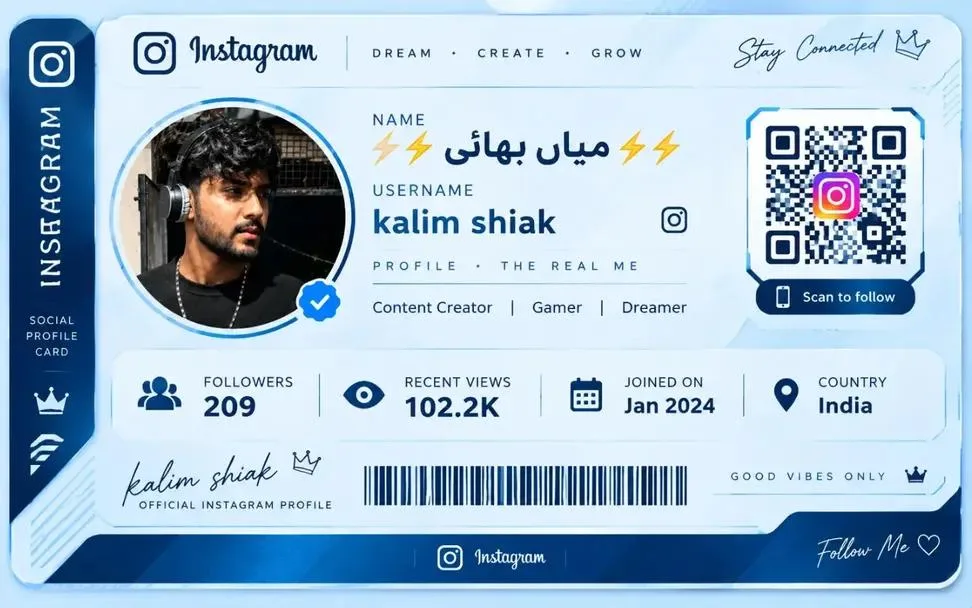
Ultra realstic Instagram profile card
Create a premium, ultra-realistic 3D Instagram Social Profile Card based on the newly uploaded Instagram profile screenshot

Ai Prompt Labs
@admin • Prompt Engineer
Prompt Instruction Payload
Create a premium, ultra-realistic 3D Instagram Social Profile Card based on the newly uploaded Instagram profile screenshot.
IMPORTANT: Analyze the uploaded screenshot first. Use it as the primary reference for the profile's identity, visible information, and overall style. Every new screenshot must generate a personalized profile card.
1. PREMIUM CARD DESIGN
Transform the Instagram profile into a luxurious, futuristic horizontal profile card with rounded corners, a glossy white surface, deep navy-blue borders, subtle metallic edges, and realistic 3D depth.
Use a clean white and ice-blue color palette with navy-blue accents, soft reflections, elegant typography, and a professional social-media branding aesthetic.
The final card should resemble a premium creator identity card or digital membership card.
2. INSTAGRAM BRANDING
Place the Instagram icon and wordmark prominently in the top section.
Add a suitable creator-inspired tagline, such as:
“DREAM • CREATE • GROW”
Include elegant decorative elements, thin dividing lines, and a dark-blue vertical sidebar featuring Instagram-inspired graphics.
Keep the branding clean and balanced. Do not imitate unrelated brands or add unnecessary logos.
3. PROFILE PHOTO AND IDENTITY
Display the uploaded profile picture inside a large circular frame on the left side of the main card.
Use a polished metallic or glass-like circular border with subtle blue highlights.
Preserve the original person's recognizable facial features and hairstyle as closely as possible. Do not substitute a different person or create an unrelated profile photo.
4. PROFILE INFORMATION
Reproduce the visible information from the uploaded screenshot:
- Display name, including visible emojis.
- Exact username and spelling.
- Bio and creator description.
- Followers and other visible statistics.
- Account category, if shown.
- Joined date or location, only if visible.
- Other relevant information included in the reference.
Arrange the information in a clear, structured layout with consistent spacing and readable typography.
Do not invent missing details, statistics, dates, locations, or verification badges.
5. QR CODE AND PROFILE ACCESS
Reserve a dedicated section on the right side for a QR code when appropriate.
If a genuine QR code is supplied, preserve it accurately. If no actual profile URL or QR code is available, use a clearly decorative QR-style graphic rather than pretending it is scannable.
Add a small label such as “SCAN TO FOLLOW” when suitable.
6. STATISTICS PANEL
Create a separate horizontal statistics section near the bottom of the card.
Use elegant icons and clearly separated fields for the information actually available in the screenshot, such as:
- Followers.
- Recent views.
- Joined date.
- Country or location.
Only include fields supported by the uploaded reference. If information is missing, omit that field instead of making up a value.
7. LOWER DESIGN DETAILS
Add a stylish signature-style username, a decorative barcode, a subtle crown icon, or a short tagline such as “GOOD VIBES ONLY” when these elements suit the profile.
Keep decorative elements secondary to the actual profile information.
Avoid overcrowding the card with excessive icons, random text, or unnecessary effects.
8. DYNAMIC SCREENSHOT PERSONALIZATION
For every new uploaded Instagram screenshot:
- Extract the actual visible username and display name.
- Use the original profile picture as the visual reference.
- Preserve the visible bio, statistics, and account information.
- Adapt the accent colors and decorative details to the profile's aesthetic.
- Change the card's visual arrangement when the reference calls for a different layout.
- Never reuse another screenshot's personal details.
Keep the premium social profile card concept consistent while making each result unique to its uploaded reference.
9. IMAGE QUALITY
Ultra-realistic 3D design, premium glassmorphism, glossy white materials, deep navy-blue accents, realistic metallic reflections, subtle shadows, precise alignment, elegant typography, sharp details, clean graphic design, high-resolution rendering, and professional commercial presentation.
Avoid distorted text, malformed logos, duplicated profile details, random statistics, fake QR functionality, and cluttered layouts.
FINAL RESULT: A stunning, premium Instagram social profile card faithfully personalized using the uploaded screenshot.
Aspect ratio: 3:2 horizontal.
Style: White and navy-blue luxury identity card, modern 3D design, glossy finish.
Priority: Profile accuracy, readable information, professional layout, and unique personalization for every upload.
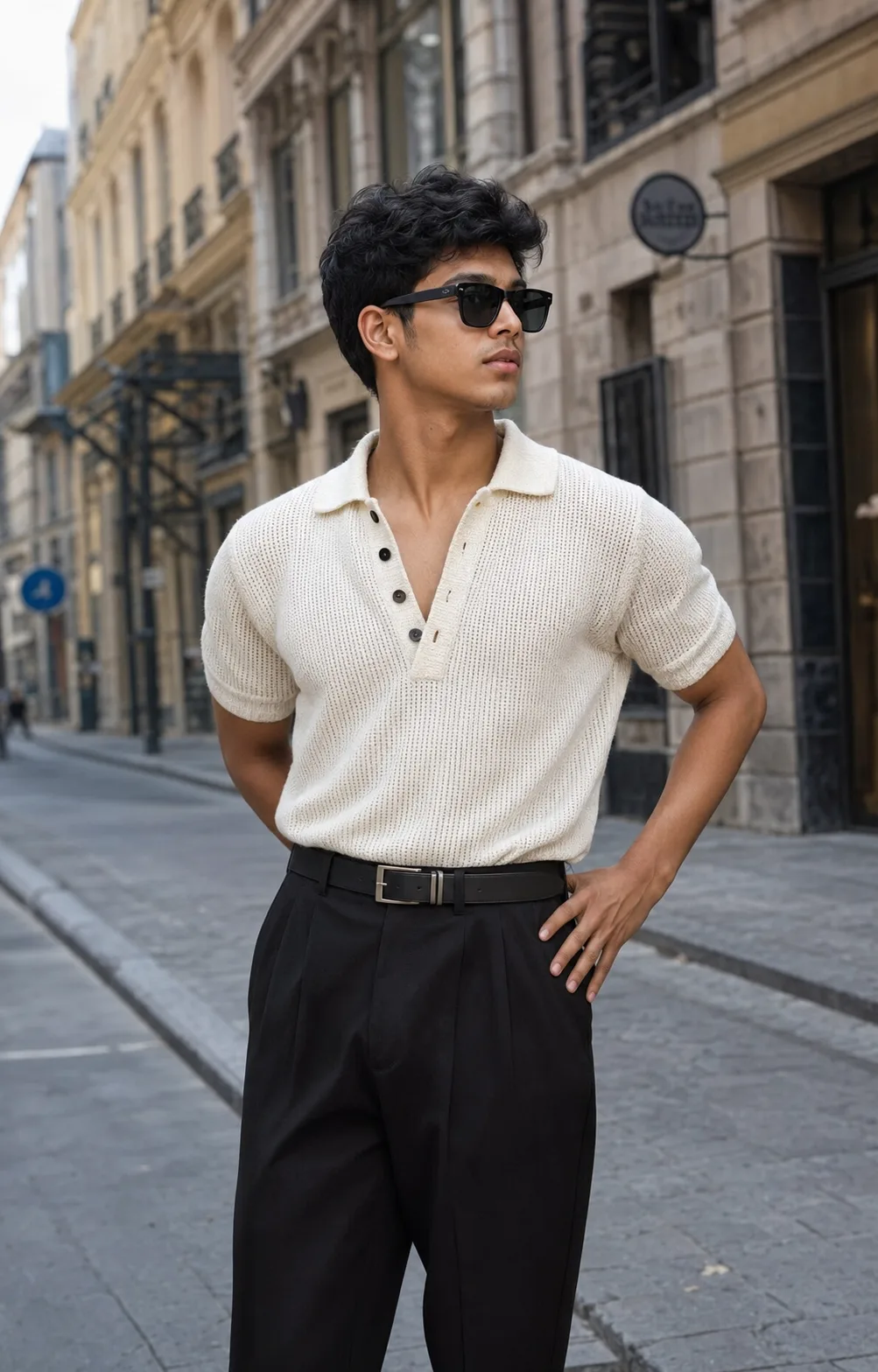
Insert discreet watermark in the lower right corner of the image, vertical text (rotated 90°), written "aipromptlabs.online", Calibri Light font, white color with low opacity (semi-transparent), medium size. Extreme sharpness on the face, fabric texture and typography of the letters. Shot on Canon EOS R5, 50mm f/2.8, studio light.

Midjourney v6.1

ChatGPT-4o

ChatGPT-4o

ChatGPT-4o
ChatGPT-4o

Creator Discussions & Community Comments 0
Join the AI Prompt Labs community to comment and share variations.